

Documentation Index
Fetch the complete documentation index at: https://user-guide.fabric.so/llms.txt
Use this file to discover all available pages before exploring further.

What can my Fabric Email Assistant do?
Questions and tasks Send an email to your Email-to-Fabric address, and your Fabric Assistant will perform work or research for you, just like it does in the app.For example:Forwarding an email You can also forward an email to it and Assistant will save it, and can answer follow-up questions about the current email conversation.what's the weather in london today?Or:what was that PDF about the art exhibit?
For example:Attachments If you send a file as an attachment, Assistant will save it and can answer any question you may have about it.what do you think they meant by this?Or:can you summarize this email?
For example: what are the key ideas in this PDF?
You can continue the conversation in the Fabric app – the chat will show in your chat history.
Setting approved email addresses
Assistant only accepts emails from addresses that you approve and verify ownership of. You can approve multiple email addresses in your Settings. Emails sent to your Fabric address automatically get saved to your Fabric (and converted to the most relevant type of file).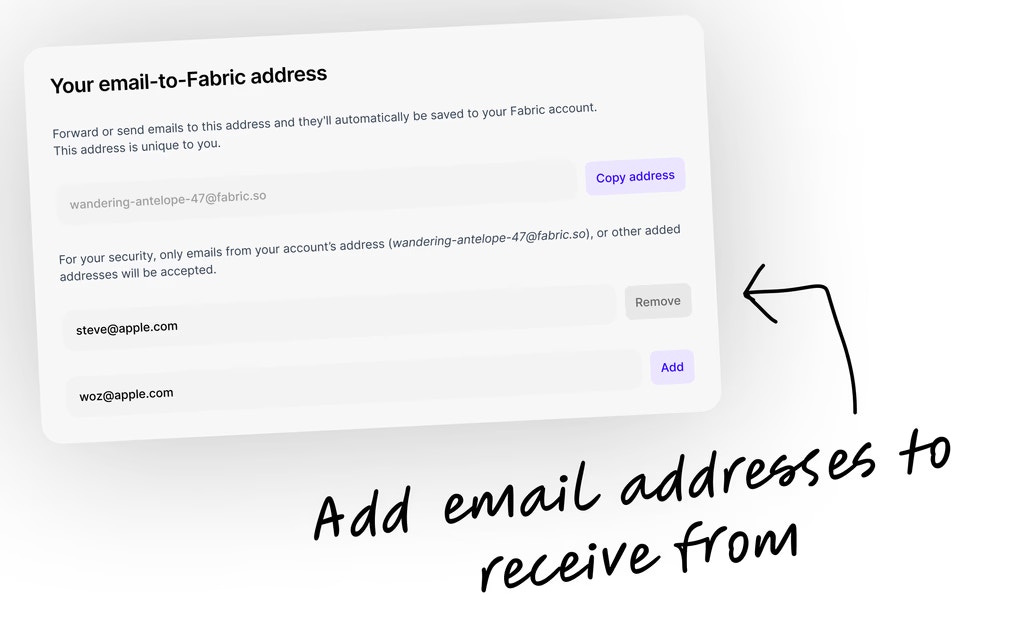
Don’t want the Email Assistant?
You can simply turn it off in theEmail or text your Fabric tab of Settings.
Just flip the Accept incoming emails toggle to the off position.
Not receiving emails in your Fabric?
One of the most common reasons for emails not reaching Fabric is a failed security check. We use DMARC protocol to check that incoming emails are sent from the domain they claim to be from. In most cases, if you have an email address from a large provider, ending with @gmail.com, @outlook.com, or @yahoo.com, DMARC is already configured and handled for you — you don’t need to do anything. However, if you send emails from your own custom domain (e.g. @yourcompany.com), you or your IT team will need to ensure DMARC is properly set up in your domain’s DNS settings, otherwise your emails may get rejected. If you’re using Google Workspace, they provide a guide for setting up DMARC. You can read that here. Basically, you need to add three small configuration records to your domain’s DNS settings:- SPF — a list of servers that are allowed to send email on behalf of your domain.
- DKIM — a secret signature that gets added to every email you send, proving it hasn’t been tampered with.
- DMARC — the rule that tells other mail servers what to do if the above two checks fail.